Stop guessing
your fuel spend.
Start calculating it.
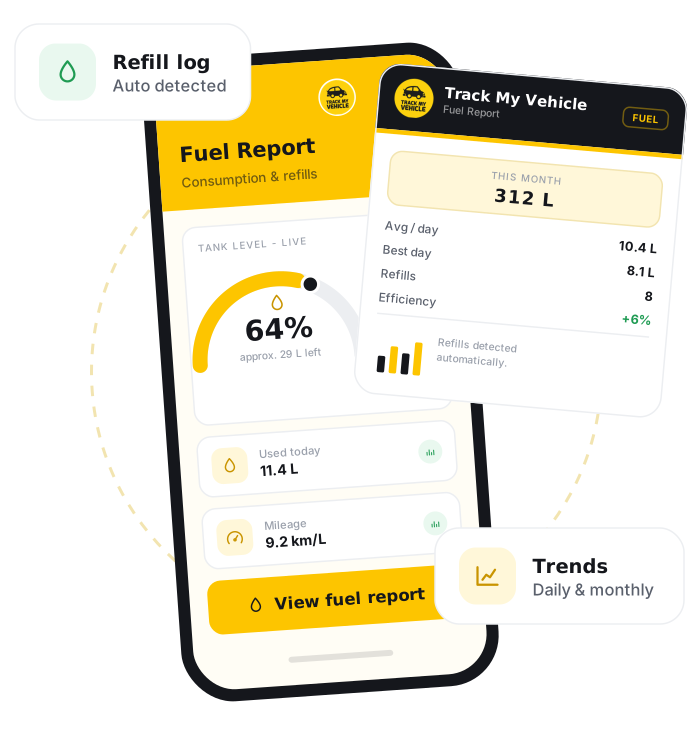
A fuel report is an estimate of how much fuel a vehicle has used over a period. Track My Vehicle calculates it from the GPS distance travelled and the mileage, kilometres per litre, that you set for each vehicle, so you get a clear, consistent view of fuel consumption and cost without fitting a physical fuel sensor into the tank.
GPS Certificate
Verify your vehicle details
DM-GHA-XX-XXXX
Connected
31 Dec 2026
System generated.
GPS connected
Print and keep
A fuel report estimates fuel usage from the distance a vehicle travels and the mileage you set for it, so you can track consumption and cost safely, without a physical fuel sensor that would mean tapping into the fuel tank.
Turn distance into fuel cost.
Fuel is one of a fleet's largest costs. By calculating usage from real distance and your set mileage, the fuel report turns a vague expense into consistent numbers you can plan and budget around.
Mileage-based usage
Fuel usage is calculated from the GPS distance travelled and the mileage you set for each vehicle.
No risky fuel sensor
Because usage is calculated, there is no need to fit a sensor into the tank, avoiding a real safety hazard.
Set per-vehicle mileage
Enter each vehicle's kilometres-per-litre so estimates reflect how that vehicle actually performs.
Budget and cost control
Turn fuel from a vague expense into a measured, predictable cost you can plan around.
Fleet comparison
Compare estimated fuel use across the fleet to see which vehicles cost the most to run.
Web and mobile
Access fuel reports from the web dashboard or the mobile app anytime.
Set the mileage, get the report.
Once you set a vehicle's mileage, Track My Vehicle calculates its fuel usage from the distance it travels.
Log in
Sign in to the Track My Vehicle app or web dashboard.
Set the vehicle mileage
Enter the vehicle's mileage in kilometres per litre.
Open your vehicle
Select the vehicle you want to review.
Go to Reports
Open the Reports section and choose the fuel report.
Choose a timeframe
Set the date range you want to review.
View or export
See the estimated fuel usage and cost, and export the report if needed.
Frequently Asked Questions
What is a fuel report?
How is fuel usage calculated?
Does it use a fuel sensor in the tank?
How does this help control costs?
Where can I view fuel reports?
Related Features
Distance Report
Distance Report tracks how far each vehicle travels across hourly, daily and monthly periods, using GPS mileage for accurate billing, maintenance and fleet planning in Bangladesh.
Engine Reports
Engine Report shows when a vehicle's engine was on or off and for how long, including idling, helping fleets in Bangladesh cut fuel waste and track engine hours.
Location Report
Location Report is a timestamped history of everywhere a vehicle has travelled, letting fleets in Bangladesh verify visits, resolve disputes and review any past journey.
Speed Report
Speed Report shows a vehicle's speed across a trip, including average, top speed and overspeeding, helping fleets in Bangladesh enforce safe driving and prove compliance.