Stop chasing
a stolen vehicle.
Stop it remotely.
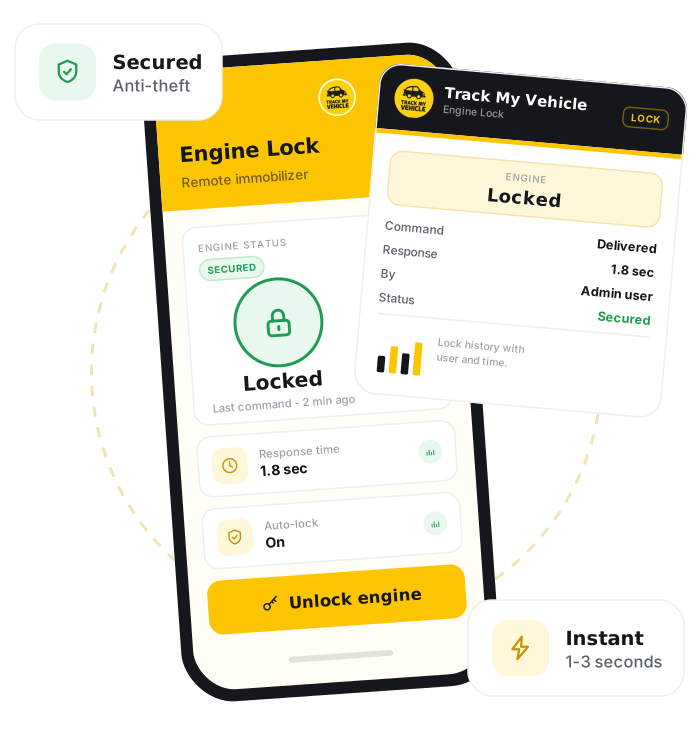
Engine Lock is a remote immobiliser in Track My Vehicle that lets an owner safely disable a vehicle's engine from the app. As a safety-first design, the lock engages only when the vehicle is stationary, so it can prevent a thief from driving away without ever interrupting a vehicle in motion.
GPS Certificate
Verify your vehicle details
DM-GHA-XX-XXXX
Connected
31 Dec 2026
System generated.
GPS connected
Print and keep
Engine Lock lets you remotely disable a vehicle's engine from the app. For safety it only engages when the vehicle is at rest, so it can stop a thief driving away but never interrupts a moving vehicle.
Take back control of your vehicle.
When a vehicle goes missing, minutes matter. Engine Lock gives you a safe, remote way to immobilise it and protect your asset until it is recovered.
Remote immobilise
Disable the engine from the Track My Vehicle app the moment you notice a vehicle is missing.
Safety-first design
The lock engages only when the vehicle is stationary, so it never cuts power to a moving vehicle.
Locate then lock
Combine live tracking with Engine Lock to find the vehicle and hold it in place for recovery.
Reversible control
Unlock the engine again from the app once the situation is resolved, with no visit required.
Instant response
Act immediately from your phone instead of waiting, reducing the window a thief has to move the vehicle.
Owner-controlled
Only authorised users on your account can trigger the lock, keeping control in the right hands.
Immobilise in a few taps.
If your vehicle already runs on Track My Vehicle with a compatible device, Engine Lock is ready when you need it.
Log in
Sign in to the Track My Vehicle app or web dashboard.
Select the vehicle
Choose the vehicle you need to immobilise.
Confirm it is at rest
Check on the live map that the vehicle is stationary.
Open Engine Lock
Go to the Engine Lock control for that vehicle.
Engage the lock
Confirm to disable the engine remotely.
Unlock when safe
Release the lock from the app once the situation is resolved.
Frequently Asked Questions
What does Engine Lock do?
Is it safe to use while driving?
How quickly does it work?
Can I unlock the engine again?
Who can trigger the lock?
Related Features
Virtual Watchman
Virtual Watchman guards a parked vehicle and sends an instant alert on unexpected movement, protecting against theft and towing around the clock in Bangladesh.
Live Tracking
Live GPS tracking shows your vehicle's exact location, speed and direction in real time, updating every few seconds on web and mobile across Bangladesh.
Drive Mark
Drive Mark scores driver behaviour, overspeeding, harsh braking and harsh acceleration, into a clear safety rating with actionable feedback for safer fleets in Bangladesh.
Geofencing
Geofencing draws virtual map boundaries and sends instant alerts when a vehicle enters or leaves a zone, keeping fleets inside approved areas across Bangladesh.